

User Management
User Management is where you invite team members, assign roles, and control who has access to IndepHR within your organisation. Getting your users set up correctly before creating surveys ensures the right people can create surveys, the right person is available to review reports, and access is properly controlled across your team.
How to Access User Management
-
Inside the header there is profile icon click on that a dropdown will appear
-
Click on Settings option

Managing Users
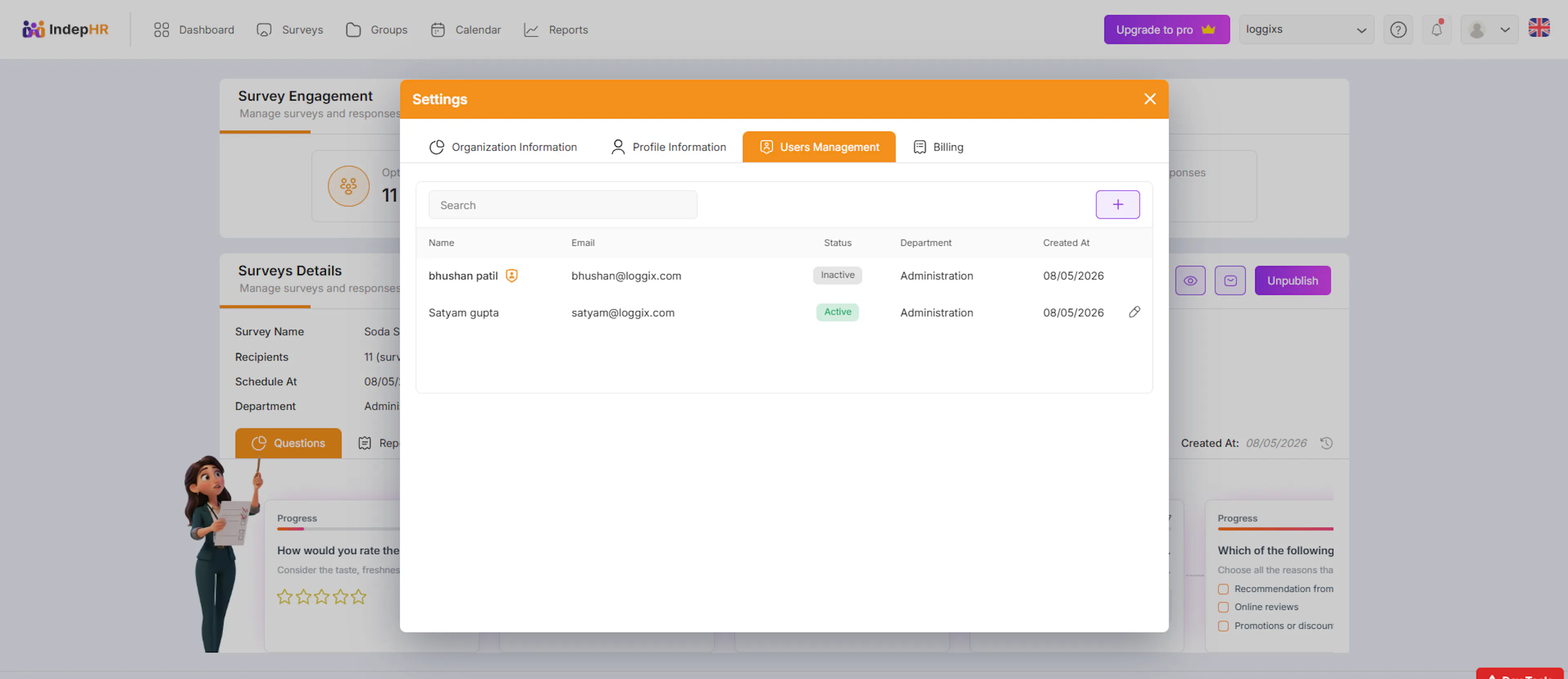
This popup displays a list of all users in your organization.
What you can see:
-
User Name
-
Email Address
-
Status (Active/Inactive)
-
Department
-
Created Date
This gives you a clear overview of all users and their current status.
Adding a New User
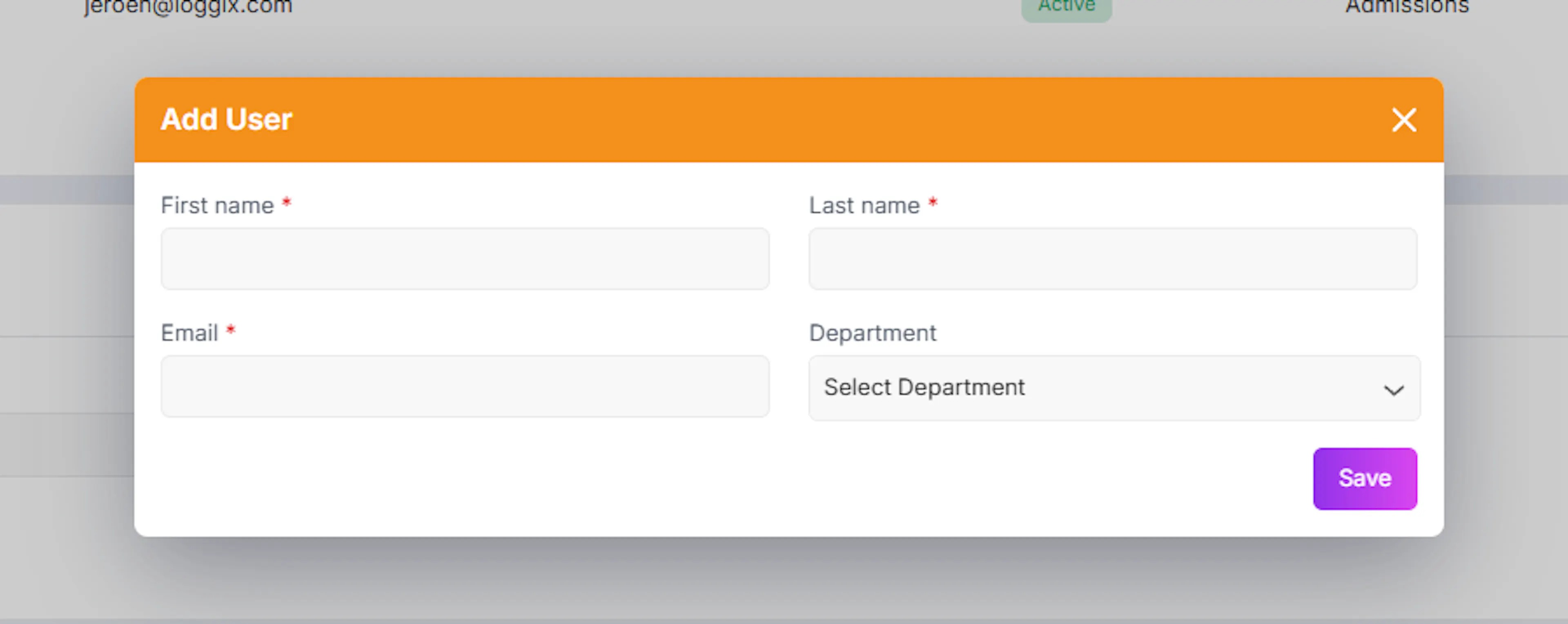
- Click on the “+” (Add User) button
-
Enter the required user details
-
Assign the department
-
Save the user
The new user will be added to your organization and can participate based on their access.
Editing an Existing User
You can update user details anytime.
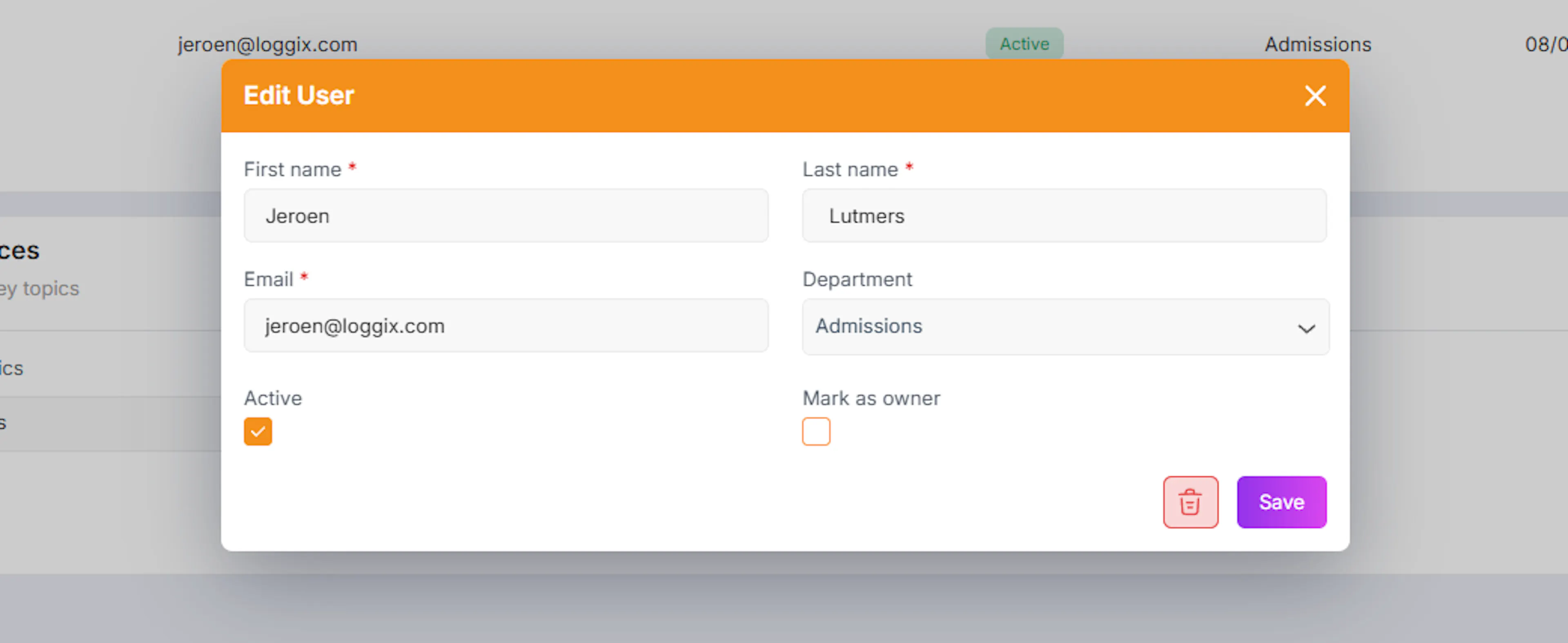
- Click on the Edit (pen) icon next to a user u will get to see the below popup
-
Update details such as:
-
Name
-
Email
-
Department
-
Managing User Access
While editing a user, you can control their access:
1. Active / Inactive Status
-
Enable or disable a user
-
Inactive users will not be able to access the platform
2. Assign as Owner
- You can mark a user as an Owner
Owners have higher-level access and control within the organization.
Survey Preferences
This section allows you to define preferred survey topics.
-
Select survey topics based on your organization needs
-
You can also use AI suggestions to get recommended topics
This helps in:
-
Faster survey creation
-
More relevant and structured surveys
Why User Management is Important
IndepHR is built around a structured workflow where different people play different roles — someone creates the survey, someone reviews the report, and an admin oversees the whole process. For that workflow to function correctly, every person in your organisation needs to have the right level of access — not more, not less. this helps you :
-
Assign clear responsibilities (Authors, Reviewers, Admins)
-
Control who can access and modify surveys
-
Ensure secure and organized collaboration
-
Avoid unauthorized changes
Best Practices
-
Assign roles that reflect actual responsibilities — do not give everyone admin access for convenience, assign the minimum role needed for each person to do their job within IndepHR
-
Always maintain at least one active Organisation Admin — if the only admin leaves or is deactivated, no one can manage users, settings, or access — always have a backup admin assigned
-
Deactivate users when they leave the organisation — do not leave accounts active for people who no longer work with you, deactivate them immediately to prevent unauthorised access
-
Assign Owner access sparingly — only assign Owner level access to people who genuinely need full platform control, treat it the same way you would treat admin credentials for any critical system
-
Review your user list regularly — set a reminder to review active users every few months, check that roles still match responsibilities and that no inactive accounts have been left open
-
Set up Report Reviewers before creating surveys — you cannot publish a survey without assigning a Report Reviewer, make sure at least one person has this role before your team starts building surveys
-
Keep departments accurate on user profiles — correct department assignments make it easier to manage recipient groups and understand who is responsible for which surveys and reports
This section ensures your organization runs smoothly by giving you full control over who can access what and how they contribute.